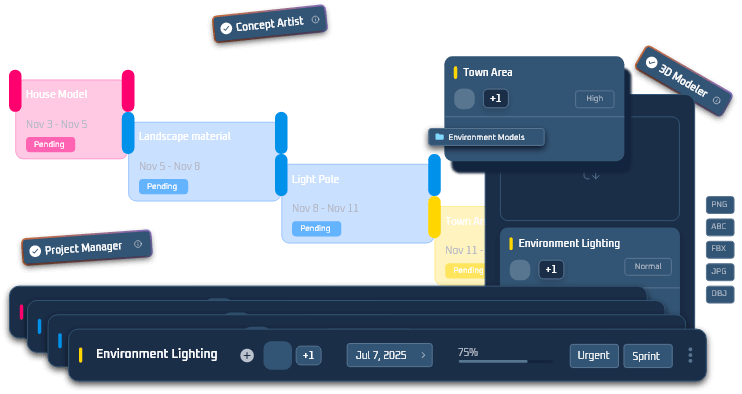
Welcome to Duio, a development workspace built specifically for independent game creators, artists, and teams. Duio brings project planning, production work, collaboration, and project showcasing together into one unified platform.
Duio is designed to support the way games are actually made. It helps you organize tasks, capture ideas, coordinate collaborators, and turn concepts into playable results. You don’t need to master a new methodology to start, but understanding how Duio structures work will help you get the most out of it.
Core Concepts
Projects: Your Central Space for Development
A project in Duio is the home for all work related to a game or creative experience. Within a project, you can organize everything from big-picture vision to detailed work items.
Projects help you:
-
Define the scope of your game’s production
-
Group related work and assets
-
Track progress from concept through execution
Projects are the starting point for everything else in Duio.
Structure: Phases, Milestones, and Tasks
Duio helps you break your development work into meaningful layers:
Phases
Phases represent major stages of your project’s lifecycle (for example, pre-production, prototyping, vertical slice, polish, release). Phases give you context for where your work fits in the long-term plan.
Milestones
Milestones are checkpoints tied to key deliveries or dates. They let you answer questions like “What are we shipping by next month?” or “When is our playable demo ready?”
Tasks
Tasks are the individual units of work you and your team will complete. Tasks can be assigned, tracked, and discussed within the project structure.
Together, phases, milestones, and tasks give you both high-level planning and detailed execution in one place.
Views: See Your Work From Every Angle
Duio provides multiple views of your project so you can focus on what matters most at any moment:
Phase View
Shows your work organized by broader stages.
List View
Breaks down tasks into sortable lists, ideal for detailed scheduling and assignment.
Timeline View
Displays work against time, helping you plan releases and milestones.
Board View
Lets you manage work in flow-based lanes, similar to a board or column style approach.
All views are synchronized, so changes made in one place are reflected everywhere.
Visual Planning: Capture Big Ideas
In addition to task planning, Duio supports early stage creative work:
-
Visual boards for concept art, mood, and references
-
Spatial planning tools for features, mechanics, or level concepts
-
Ways to link big ideas to actionable work
These tools help teams align around a shared vision before development unfolds.
Boost Points: A Built-in Reward System
Duio includes a system for earning Boost Points based on participation and task completion. These points can be used to unlock platform features and enhancements, providing a measurable way to recognize contribution and progress.
Why Use Duio?
Tailored for Game and Creative Projects
Duio is not a general productivity app. Its design reflects real development workflows, informed by how games and interactive experiences are built in the real world.
One Workspace Instead of Many
By bringing planning, execution, collaboration, and presentation together, Duio reduces the overhead of juggling separate tools for tasks, timelines, documentation, and communication.
Flexible for Every Project
Duio works for solo creators prototyping ideas as well as multi-role teams managing complex pipelines. The structure adapts to your scale.
Clarity and Transparency
With shared context and linked work states, teams can make better decisions faster and maintain momentum throughout development.
Who Should Use Duio?
Duio is built for:
-
Independent game developers
-
Small to mid-sized teams
-
Artists and designers working collaboratively
-
Creators who want structured workflows without unnecessary complexity
Whether you are starting your first prototype or managing a cross-discipline production, Duio gives you the space to plan, execute, and share progress.
Getting Started
To begin using Duio:
-
Create a new project to house your game.
-
Define major development phases.
-
Add milestones tied to deliveries or goals.
-
Break work down into tasks and assign them.
-
Invite collaborators as needed and start sharing progress.
Duio is designed to be approachable, getting you working quickly while still supporting long-term, complex projects.